How to Redeem Anime Reborn Codes
Use the left Codes button or Codes NPC, paste strings exactly, and fix level-gate and invalid errors.
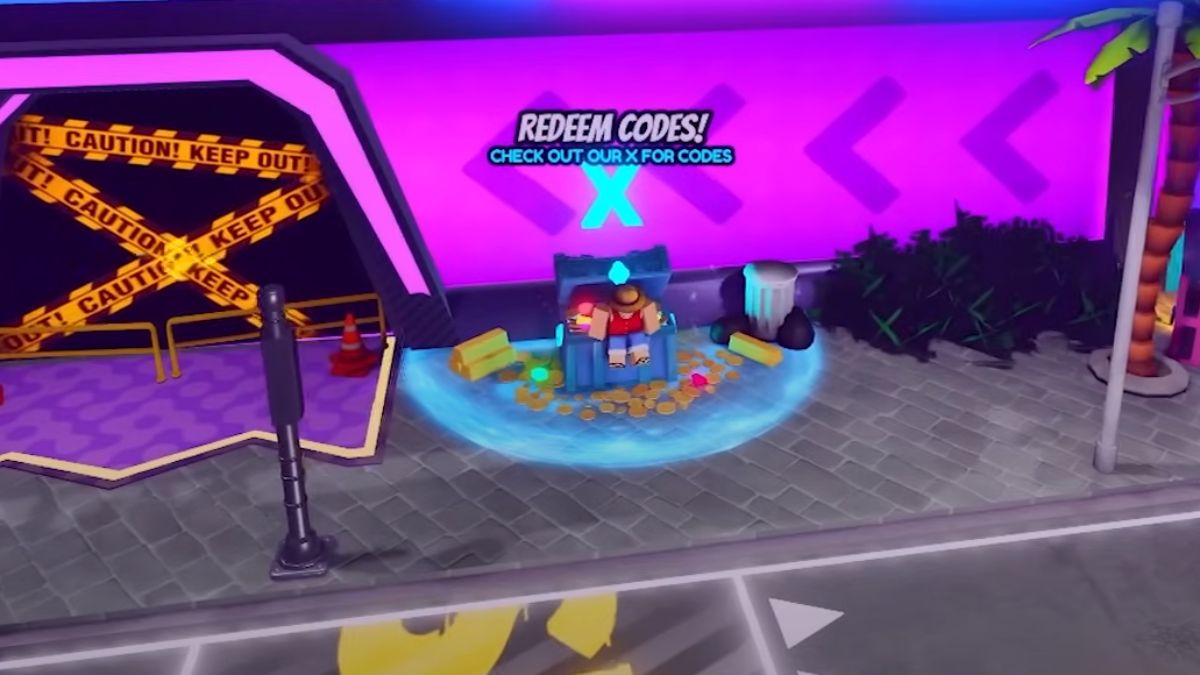
Promo codes are the easiest free resources in Anime Reborn, but only if you redeem them correctly. This guide covers the current lobby Codes button on the left HUD, the older Codes NPC path near Luffy, case sensitivity and punctuation, level gates on strings like !Skins, and the failure messages players hit after every patch. Pair it with the live list on the Codes Hub so you are not hunting strings while standing in the wrong UI.
Anime Reborn (Roblox place 17046374415, released November 9, 2024 by AnimeReborn / MeMozKing) uses a dedicated lobby redeem UI—not chat commands and not Jay’s Shop. Once rewards land, spend them with a plan from Getting Started, the tier list, and money / farm units so crystals and tickets feed Miracle, Paladin, and Demon traits on keepers instead of random early fillers.
Before you redeem
- Update Roblox and relaunch Anime Reborn so you are on the current place version after Sunday patches.
- Join a public lobby (or a private lobby that has finished loading). Wait until NPCs and the HUD finish spawning.
- Open the Codes Hub on a second screen or phone so you can copy strings without typos.
- Check your player level — some November 2026 strings (
!Skins, certain stream codes) require level 10. - Clear inventory space if you are near cap—gems and crystals still grant, but some physical items need room.
- Stay online for a few seconds after each success so the server can sync rewards before you teleport into Story, Infinite, Legend Stages, or Raids / Portals.
If you are brand new, finish the short tutorial first so lobby teleports and HUD buttons unlock.
Method A — Codes button (current HUD)
Most mid-2025+ clients expose a Codes button on the left side of the lobby screen:
- Stay in the main lobby (do not enter a match).
- Click Codes on the left HUD.
- Focus the Enter code… text box.
- Paste one code exactly as listed on the Codes Hub.
- Click Redeem and wait for the success or error toast.
- Repeat one string at a time.
On mobile, rotate to landscape if the keyboard covers Redeem. Trailing ! characters are easy to drop on soft keyboards.
Method B — Codes NPC near Luffy
Some servers and older UI builds still use a physical booth:
- From spawn, walk to the Codes / Luffy meetup zone (same general wing as other claim NPCs).
- Interact with the Codes NPC until the redeem panel opens.
- Paste and redeem exactly as in Method A.
If the NPC is missing, try Method A first, then soft-rejoin the experience—post-update servers sometimes delay lobby props for a few seconds.
Enter codes the right way
Codes in Anime Reborn are case-sensitive and punctuation-sensitive.
- Copy from the Codes Hub instead of typing from memory.
- Keep capitals:
THEANTKING!is nottheantking!. - Keep exclamation marks and repeats:
PodcastGang!!!differs fromPodcastgang!!. - Leading bangs matter too:
!Gohunand!Skinsinclude the!. - Do not add spaces before or after the string.
- Redeem one code at a time, wait for the toast, then paste the next.
- Never paste codes into chat, trade windows, or Jay’s Shop search.
After a successful redeem, check inventory, currency counters, and any mail/notification panel. Bank Trait Crystals for meta traits once you know which units you are building.
Priority November 2026 strings
Try these first, then sweep the longer try-list on the Codes Hub:
!GohunBannerCostFixUpdatecomingsoon!Crystals!Skins(often level 10)
Trackers disagree on which of these still work. Invalid simply means skip it—there is no lockout for failed attempts.
Group join and social tips
- Join the official Anime Reborn Roblox group when prompted—member milestones often ship alongside group shouts.
- Follow creator shout-outs tied to MozKing, RlxSage, and Zillas.
- Podcast-tied codes appear with little notice—redeem the same day.
- Visit and like milestones can expire after the celebration window.
Group membership does not replace the Codes UI. You still redeem in-lobby.
Common errors and fixes
| Message / symptom | Likely cause | Fix |
|---|---|---|
| Invalid / wrong code | Typo, wrong case, or expired | Recopy from the hub; skip if still invalid |
| Already redeemed | Same account claimed it earlier | Move to the next code |
| Level requirement | Code gated (often level 10) | Clear Story / AFK until you hit the gate |
| Nothing happens | UI lag or unfocused field | Click the box again, paste, confirm, or rejoin |
| Button / NPC missing | Lobby still loading / old server | Soft rejoin; try the other redeem method |
| Rewards missing | Visual delay | Relog or check inventory after 10–20 seconds |
| Mobile keyboard blocks Redeem | Portrait layout | Landscape mode or hide keyboard briefly |
Codes do not redeem inside Story, Infinite, Legend Stages, Challenges, Raids, or Portals. Leave the match, return to lobby, then open Codes.
Codes vs Jay’s Shop vs AFK Chamber
- Codes UI — free promo strings from the Codes Hub.
- Jay’s Shop — rotating gold purchases that refresh about every 12 hours. No promo codes here.
- AFK Chamber and Jay Shop — passive gems while idle; VIP multiplies AFK payouts.
- Updates — patch notes often explain why a wave of apology codes appeared after a hotfix.
Players who type codes into Jay’s Shop waste time and think the wiki list is broken when the real issue is the wrong UI.
After you redeem: spend with intent
- Skim the tier list for current S-tier and high-priority traits.
- Feed Miracle / Paladin / Demon rerolls into units you will keep through Infinite and Raids.
- Stabilize a money farmer (Speedcart when you have him) before dumping tickets into every banner.
- Push Story stages you still need, then Legend Stages and portals.
- Read the Scripts Hub risk warnings before automating farms—executors can cost the same account that just claimed every code.
Checklist
- Lobby fully loaded
- Codes button (left HUD) or Codes NPC open
- List open from Codes Hub
- Player level high enough for gated codes
- Paste exact case and punctuation
- Confirm one code at a time
- Verify gems / crystals / tickets landed
- Skip expired strings without retry spam
- Plan trait and banner spend before leaving lobby
Related pages
- Codes Hub — November 2026 priority + try lists
- Getting Started — lobby and early progression
- AFK Chamber and Jay Shop — passive gems and gold shop
- Tier List Hub — where crystals and tickets belong
- Updates Hub — patch context for new apology codes
- Scripts Hub — automation tools and ban risk notes
Redeem carefully, spend deliberately, and return here whenever a new patch dumps another wave of SorryFor… or milestone strings.
Frequently Asked Questions
Quick answers for Anime Reborn players.
Where do I redeem Anime Reborn codes?
Click the Codes button on the left side of the lobby HUD, or interact with the Codes NPC near Luffy if your client still shows that booth. Paste one code into Enter code... and click Redeem.
Do I redeem codes in chat or Jay’s Shop?
Neither. Only the Codes UI accepts promo codes. Jay’s Shop is a separate 12-hour rotating gold store.
What if the code is case-sensitive and I mistype it?
Copy and paste from the Codes Hub. Capitals, leading bangs, and exclamation marks must match exactly or the game returns invalid.
Why does !Skins fail on a new account?
Many trackers list a level 10 requirement. Level through Story or AFK Chamber rewards, then try again.
Can I redeem codes during a Story or Infinite match?
No. Return to the lobby first. Match HUDs do not include the Codes redeem panel.